Connect, collaborate, and get work done all in one place
Connect, collaborate, and get work done all in one place
Unite remote teams with AI chat, voice calls, and file-sharing for smarter collaboration.
Unite remote teams with AI chat, voice calls, and file-sharing for smarter collaboration.
View demo
View demo
View demo
View demo
View demo
View demo
Kamal
Kamal
Huening








KEY FEATURE
KEY FEATURE
Everything your team needs to stay connected
Everything your team needs to stay connected
Work together seamlessly — from chat to meetings, all in one intuitive platform.
Work together seamlessly — from chat to meetings, all in one intuitive platform.
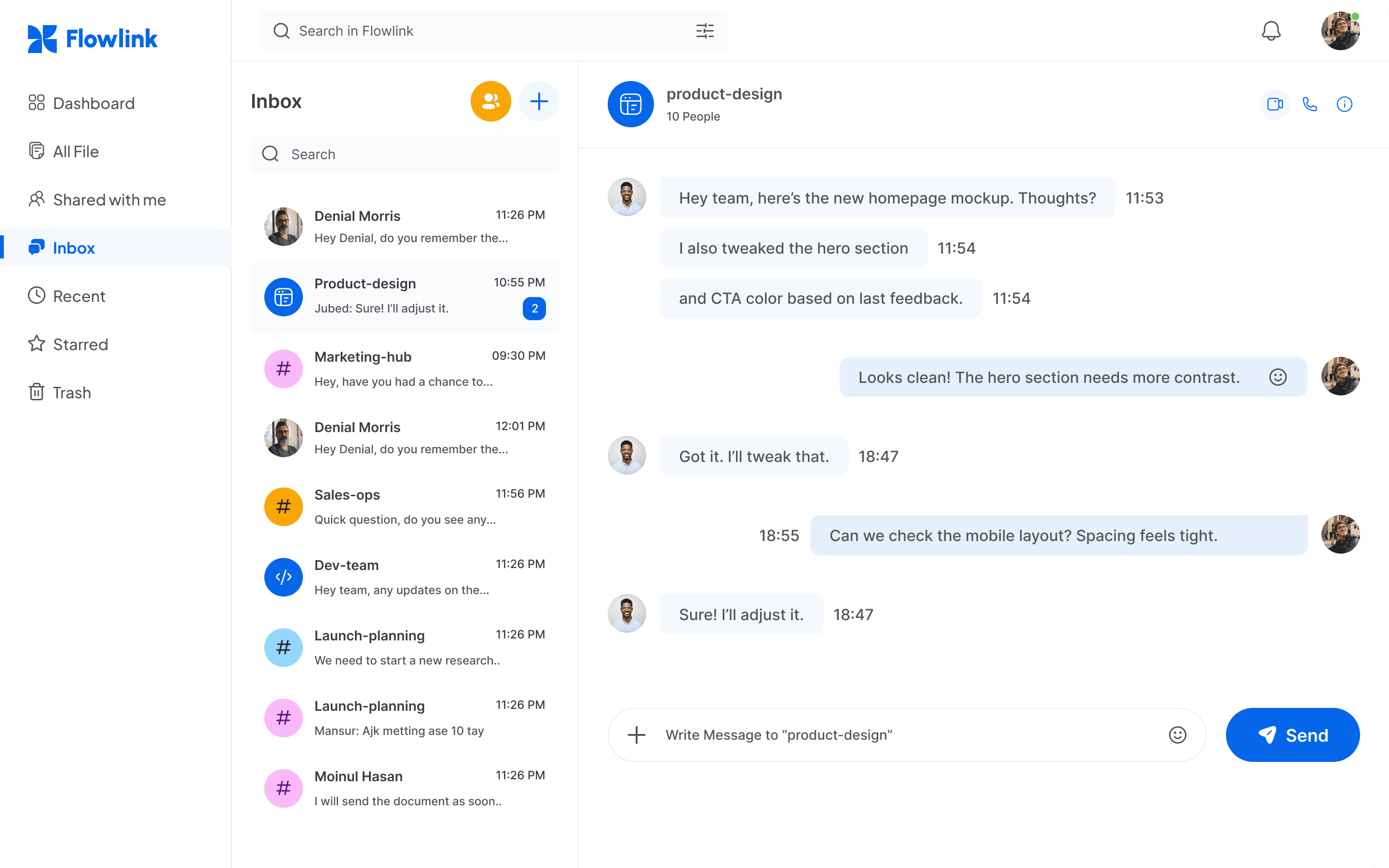
Real-Time Messaging
Stay connected with fast, organized chats — one-on-one or in groups, anytime, and enjoy seamless communication.
Real-Time Messaging
Stay connected with fast, organized chats — one-on-one or in groups, anytime, and enjoy seamless communication.
Voice & Video Calls
Make quick calls or jump into video meetings directly from your phone with ease anytime, anywhere you need.
Voice & Video Calls
Make quick calls or jump into video meetings directly from your phone with ease anytime, anywhere you need.
Smart File Sharing
Upload, organize, and share files securely across devices with confidence.
Smart File Sharing
Upload, organize, and share files securely across devices with confidence.
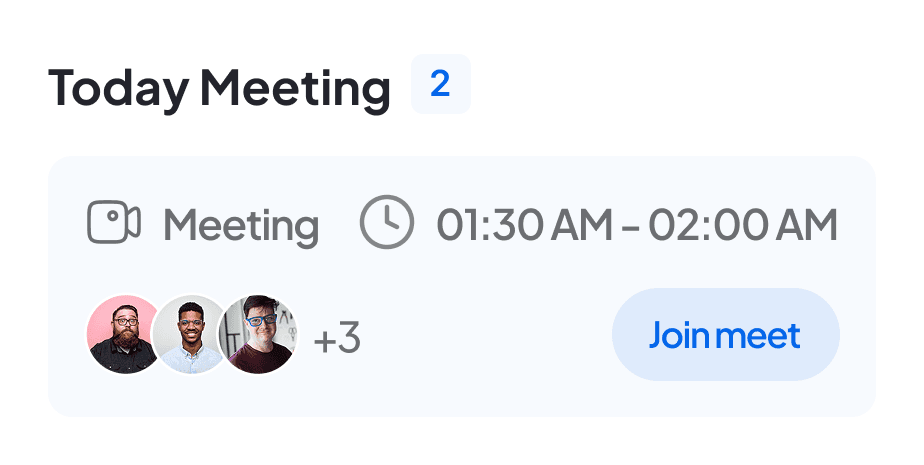
Lightweight Tasks
Easily add tasks, deadlines, and reminders directly within your chat.
Lightweight Tasks
Easily add tasks, deadlines, and reminders directly within your chat.
Device Sync
Begin on mobile and seamlessly transition to desktop with instant updates.
Device Sync
Begin on mobile and seamlessly transition to desktop with instant updates.

How it works
Work smart in few steps
Work together seamlessly — from chat to meetings, all in one intuitive platform designed for productivity and collaboration.
Step 1: Create your account
Sign up in seconds using your email or Google account and get instant access to your workspace, so you can start setting things up right away and invite your entire team effortlessly today.
Step 2: Build your team workspace
Create a shared space for your team by organizing projects, tools, and channels in one place, making it easy for everyone to stay aligned and work together efficiently every single day.
Step 3: Start collaborating instantly
Quickly sign up with your email or Google, and your workspace will be ready instantly, so you can start collaborating immediately with your team.
How it works
Work smart in few steps
Work together seamlessly — from chat to meetings, all in one intuitive platform designed for productivity and collaboration.
Step 1: Create your account
Sign up in seconds using your email or Google account and get instant access to your workspace, so you can start setting things up right away and invite your entire team effortlessly today.
Step 2: Build your team workspace
Create a shared space for your team by organizing projects, tools, and channels in one place, making it easy for everyone to stay aligned and work together efficiently every single day.
Step 3: Start collaborating instantly
Quickly sign up with your email or Google, and your workspace will be ready instantly, so you can start collaborating immediately with your team.
WHY CHOOSE US
WHY CHOOSE US
Efficient communication for teams
Efficient communication for teams



Reliability Built for Modern Teams
Our platform stays stable and fast, even during busy hours. Your workflow remains smooth.
Reliability Built for Modern Teams
Our platform stays stable and fast, even during busy hours. Your workflow remains smooth.
Reliability Built for Modern Teams
Our platform stays stable and fast, even during busy hours. Your workflow remains smooth.

Secure Communication
Easily bring your messages, meetings, and files together in one seamless, organized platform.
Secure Communication
Easily bring your messages, meetings, and files together in one seamless, organized platform.
Secure Communication
Easily bring your messages, meetings, and files together in one seamless, organized platform.

Instant Sync Across Devices
Instant Sync keeps your data updated, allowing device switching without losing data.
Instant Sync Across Devices
Instant Sync keeps your data updated, allowing device switching without losing data.
Instant Sync Across Devices
Instant Sync keeps your data updated, allowing device switching without losing data.
TESTIMONIALS
TESTIMONIALS
Loved by teams everywhere
Loved by teams everywhere









“Flowlink eliminated the communication chaos. Now our team stays organized, aligned, and on track. It’s boosted productivity across every project.”
Alex Morgan
Product Manager, Remote Team
“Flowlink eliminated the communication chaos. Now our team stays organized, aligned, and on track. It’s boosted productivity across every project.”
Alex Morgan
Product Manager, Remote Team
“Flowlink eliminated the communication chaos. Now our team stays organized, aligned, and on track. It’s boosted productivity across every project.”
Alex Morgan
Product Manager, Remote Team
PRICING
PRICING
Pricing that works for You
Pricing that works for You
Whether starting out or running a team, there’s a plan that fits your workflow.
Whether starting out or running a team, there’s a plan that fits your workflow.
For individuals just getting started
Features

Tools to organize your workflow

Unlimited messages & basic features

Access from any device

Create personal notes and quick tasks

Receive basic notifications, reminders
For individuals just getting started
Features
Tools to organize your workflow
Unlimited messages & basic features
Access from any device
Create personal notes and quick tasks
Receive basic notifications, reminders
For individuals just getting started
Features
Tools to organize your workflow
Unlimited messages & basic features
Access from any device
Create personal notes and quick tasks
Receive basic notifications, reminders
Features

Advanced collaboration tools

Priority customer support

File uploads, voice notes, meetings.

Smart automation to save time

Keep you fast, focused, productive.
Features
Advanced collaboration tools
Priority customer support
File uploads, voice notes, meetings.
Smart automation to save time
Keep you fast, focused, productive.
Features
Advanced collaboration tools
Priority customer support
File uploads, voice notes, meetings.
Smart automation to save time
Keep you fast, focused, productive.
For teams to move faster.
Features

Team workspace controls

Role-based access

Unlimited channels and projects

Admin dashboard with full analytics
For seamless team collaboration.
For teams to move faster.
Features
Team workspace controls
Role-based access
Unlimited channels and projects
Admin dashboard with full analytics
For seamless team collaboration.
For teams to move faster.
Features
Team workspace controls
Role-based access
Unlimited channels and projects
Admin dashboard with full analytics
For seamless team collaboration.













INTEGRATION
INTEGRATION
Flowlink connects your tools
Flowlink connects your tools
No more jumping between apps. Seamlessly integrate your team’s everyday tools from task management to cloud storage and keep everything in sync.
No more jumping between apps. Seamlessly integrate your team’s everyday tools from task management to cloud storage and keep everything in sync.
FAQ
Common questions we get

Getting Started

Features & Collaboration

Security & Support

How do I create an account?
Sign up with your email or phone number in just a minute! Once you're in, you can quickly invite your team to hop on board and start collaborating right away. Let’s get working together smoothly from the start!
Do I need to download the mobile app to use the platform?
Not necessarily — you can use the web version too. But the mobile app gives you faster access and real-time notifications on the go.
Can I invite my team members immediately?
Yes! Once you create your workspace, you can send invites instantly via email or link.
What’s the best way to set up my first workspace?
Begin by inviting your team members and creating channels or groups for different projects. Customize notifications and permissions to fit your workflow, then start adding tasks, files, and messages to organize your work efficiently.
Can I try Flowlink before committing to a plan?
Yes! Flowlink offers a free starter plan so you can explore all essential features, create a workspace, and see how it fits your team’s workflow before upgrading.
Have more questions? Please contact our support team.
FAQ
Common questions we get
Getting Started
Features & Collaboration
Security & Support
How do I create an account?
Sign up with your email or phone number in just a minute! Once you're in, you can quickly invite your team to hop on board and start collaborating right away. Let’s get working together smoothly from the start!
Do I need to download the mobile app to use the platform?
Not necessarily — you can use the web version too. But the mobile app gives you faster access and real-time notifications on the go.
Can I invite my team members immediately?
Yes! Once you create your workspace, you can send invites instantly via email or link.
What’s the best way to set up my first workspace?
Begin by inviting your team members and creating channels or groups for different projects. Customize notifications and permissions to fit your workflow, then start adding tasks, files, and messages to organize your work efficiently.
Can I try Flowlink before committing to a plan?
Yes! Flowlink offers a free starter plan so you can explore all essential features, create a workspace, and see how it fits your team’s workflow before upgrading.
Have more questions? Please contact our support team.
FAQ
Common questions we get
Getting Started
Features & Collaboration
Security & Support
How do I create an account?
Sign up with your email or phone number in just a minute! Once you're in, you can quickly invite your team to hop on board and start collaborating right away. Let’s get working together smoothly from the start!
Do I need to download the mobile app to use the platform?
Not necessarily — you can use the web version too. But the mobile app gives you faster access and real-time notifications on the go.
Can I invite my team members immediately?
Yes! Once you create your workspace, you can send invites instantly via email or link.
What’s the best way to set up my first workspace?
Begin by inviting your team members and creating channels or groups for different projects. Customize notifications and permissions to fit your workflow, then start adding tasks, files, and messages to organize your work efficiently.
Can I try Flowlink before committing to a plan?
Yes! Flowlink offers a free starter plan so you can explore all essential features, create a workspace, and see how it fits your team’s workflow before upgrading.
Have more questions? Please contact our support team.
Work better together, wherever you are
Connect, share ideas, keep your team aligned.
View demo
View demo
Work better together, wherever you are
Connect, share ideas, keep your team aligned.
View demo
View demo
Work better together, wherever you are
Connect, share ideas, keep your team aligned.
View demo
View demo